Campaign Command
Built for Live Play
Your Campaign Command Center

See the Party.
Command the Moment.

Campaign Command gives Game Masters one clear place to monitor the party, run initiative, prepare encounters, roll dice, review sessions, and share a player-ready view.

One View
Party status and character details
One Workflow
Combat, dice, encounters, and notes
Your Table
Shared displays and custom themes

Party Dashboard

Actual Product View
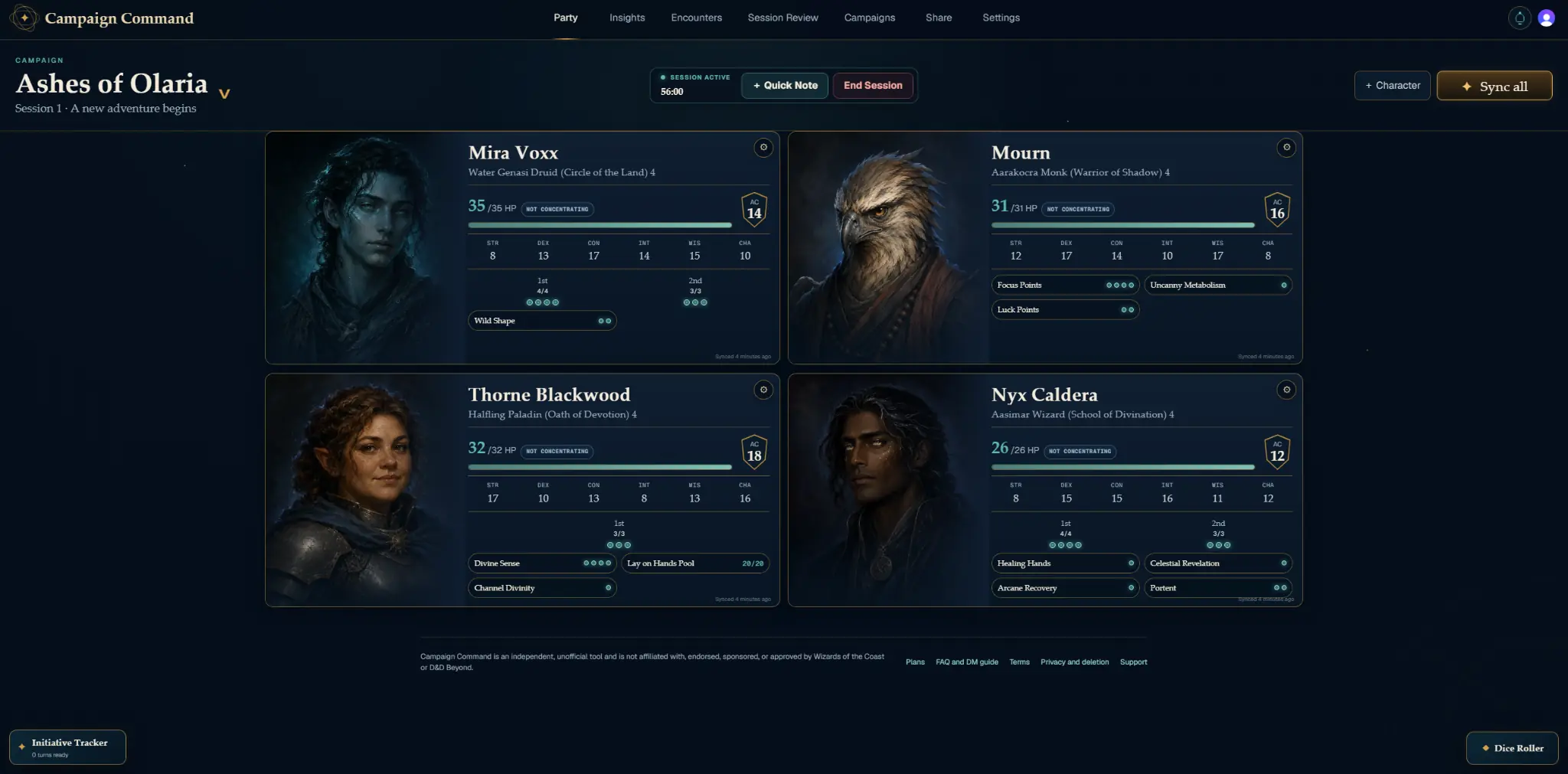
Campaign Command Party dashboard showing four characters in the Ashes of Olaria campaign
Actual Campaign Command screen shown. Layout and available tools may vary by plan, campaign setup, screen size, and future updates.
✦Party Dashboard✦Initiative Tracker✦Prepared Encounters✦Dice Roller✦Party Insights✦Session Review✦Advanced Sharing✦Campaign Themes✦Party Dashboard✦Initiative Tracker✦Prepared Encounters✦Dice Roller✦Party Insights✦Session Review✦Advanced Sharing✦Campaign Themes
Built Around the Session

The Information You Need.
Exactly When You Need It.

Planning, live play, and session follow-through stay connected inside one persistent campaign workspace. The images below are actual Campaign Command screens from a sample campaign. They are presented as a visual tour rather than embedded interactive tools.

01Party Dashboard

Know the Party
At a Glance.

Keep health, defenses, spell slots, resources, conditions, death saves, and concentration visible across the entire party. Expand deeper character details in the live tool without losing the group view.

  • Persistent multi-campaign dashboards
  • D&D Beyond public-sheet import
  • Automatic and manual synchronization
Party Dashboard

Actual Product View
Campaign Command Party dashboard showing four characters in the Ashes of Olaria campaign
Actual Campaign Command screen shown. Layout and available tools may vary by plan, campaign setup, screen size, and future updates.
02Initiative and Live Play

Keep Combat
Moving Forward.

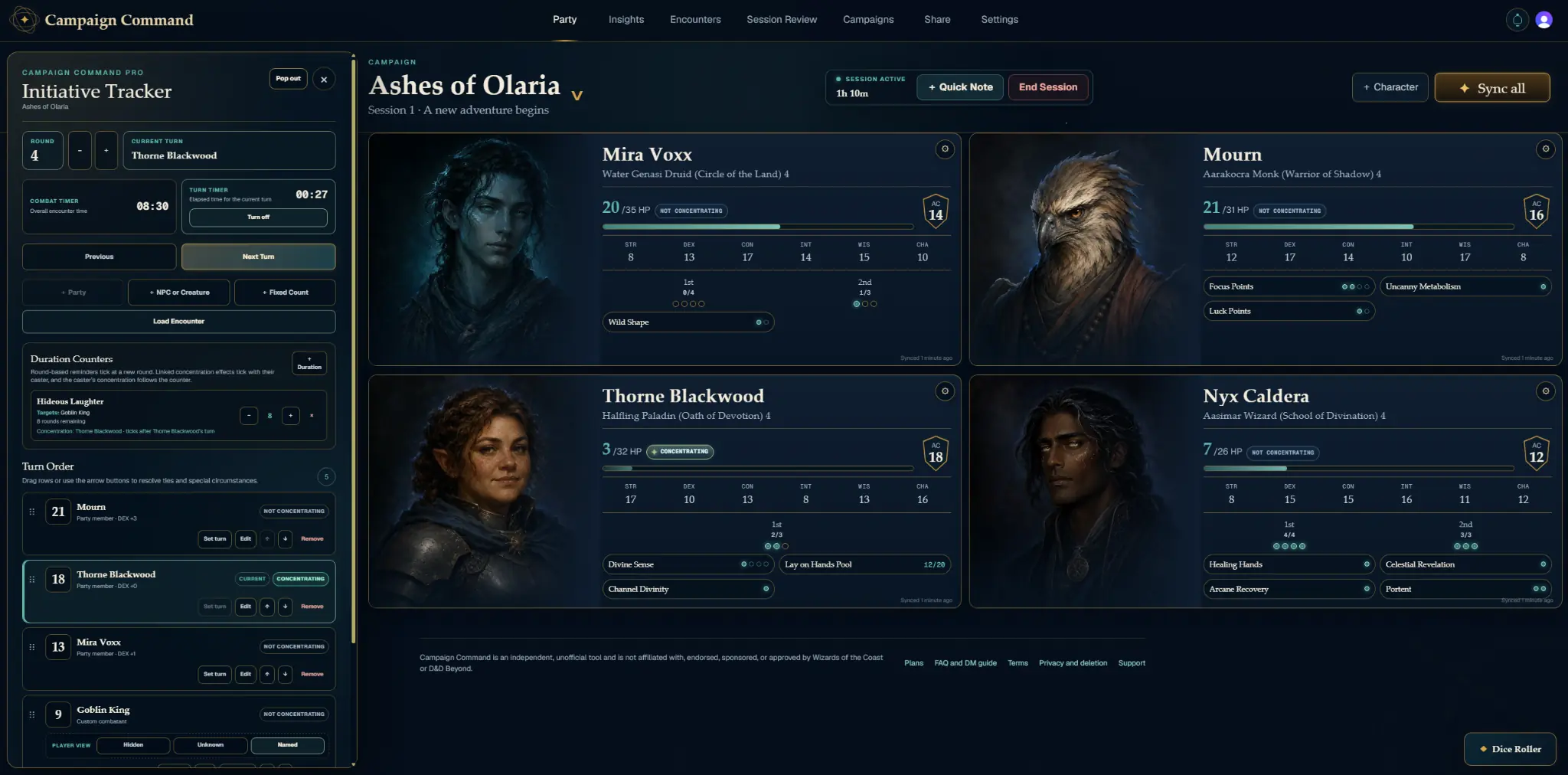
Track party members, custom creatures, turns, and rounds with Initiative Tracker Lite. Pro adds timers, Duration Counters, visibility controls, shared order, and a dedicated pop-out view.

  • Prepared encounters before the session
  • Private rolls and optional shared results
  • Concentration-linked Duration Counters

Initiative Tracker

Actual Product View
Campaign Command Party dashboard with the Initiative Tracker open during combat
Actual Campaign Command screen shown. Layout and available tools may vary by plan, campaign setup, screen size, and future updates.
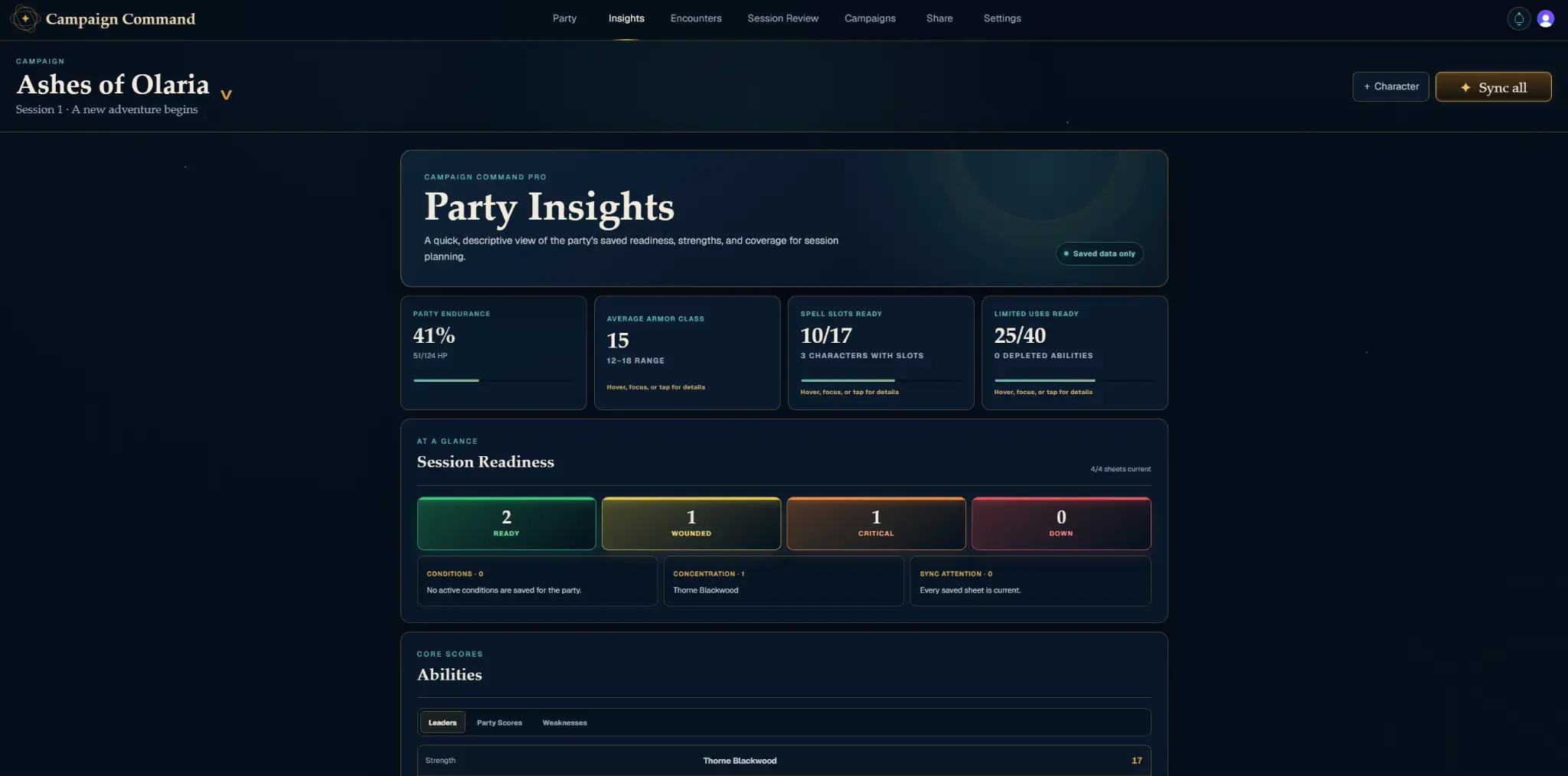
03Party Insights

See Strengths.
Spot the Gaps.

Turn saved party data into a quick read on endurance, Armor Class, ability leaders, saving throws, and session readiness. Pro reveals the full comparison across skills, languages, senses, spells, resources, and weaknesses.

  • Readiness and endurance summaries
  • Ability and saving throw leaders
  • Full coverage analysis with Pro

Party Insights

Actual Product View
Campaign Command Party Insights showing party endurance, readiness, spell slots, and abilities
Actual Campaign Command screen shown. Layout and available tools may vary by plan, campaign setup, screen size, and future updates.
04Session Review

Remember What
Changed the Story.

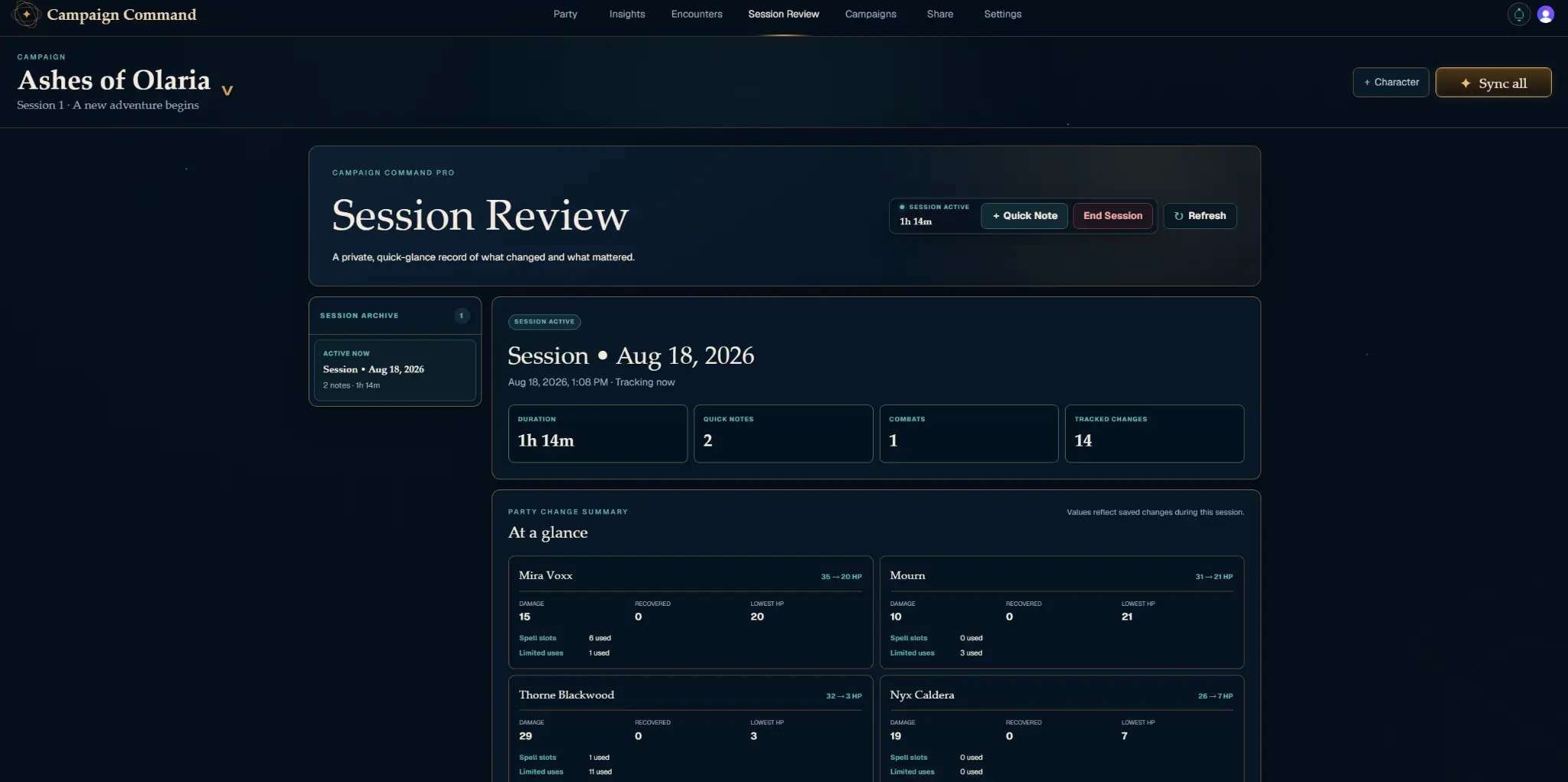
Capture private notes and review a saved timeline of health, resources, conditions, concentration, death saves, and combat events after the table goes quiet.

  • Private DM notes and reminders
  • Session metrics and combat history
  • Filterable event timeline

Session Review

Actual Product View
Campaign Command Session Review showing session metrics and party changes
Actual Campaign Command screen shown. Layout and available tools may vary by plan, campaign setup, screen size, and future updates.
The Complete Toolkit

One Workspace.
Every Phase of Play.

Cards respond with subtle depth and light, while the product itself stays where it belongs: inside Campaign Command.

01Free and Pro

Party Dashboard

HP, AC, conditions, resources, spell slots, and concentration in one persistent view.

02Free and Pro

Initiative Tracker

Run rounds, custom creatures, timers, Duration Counters, visibility, and shared turn order.

03Free and Pro

Dice Roller

Build private DM rolls with multiple dice, then share selected results with Pro.

04Free and Pro

Party Insights

See readiness, strengths, weaknesses, skills, languages, senses, spells, and resources.

05Free and Pro

Prepared Encounters

Build reusable turn orders before the session and bring them into initiative when needed.

06Campaign Command Pro

Session Review

Keep private notes and a timeline of the changes that mattered during play.

Advanced Sharing

The Right View
For Every Audience.

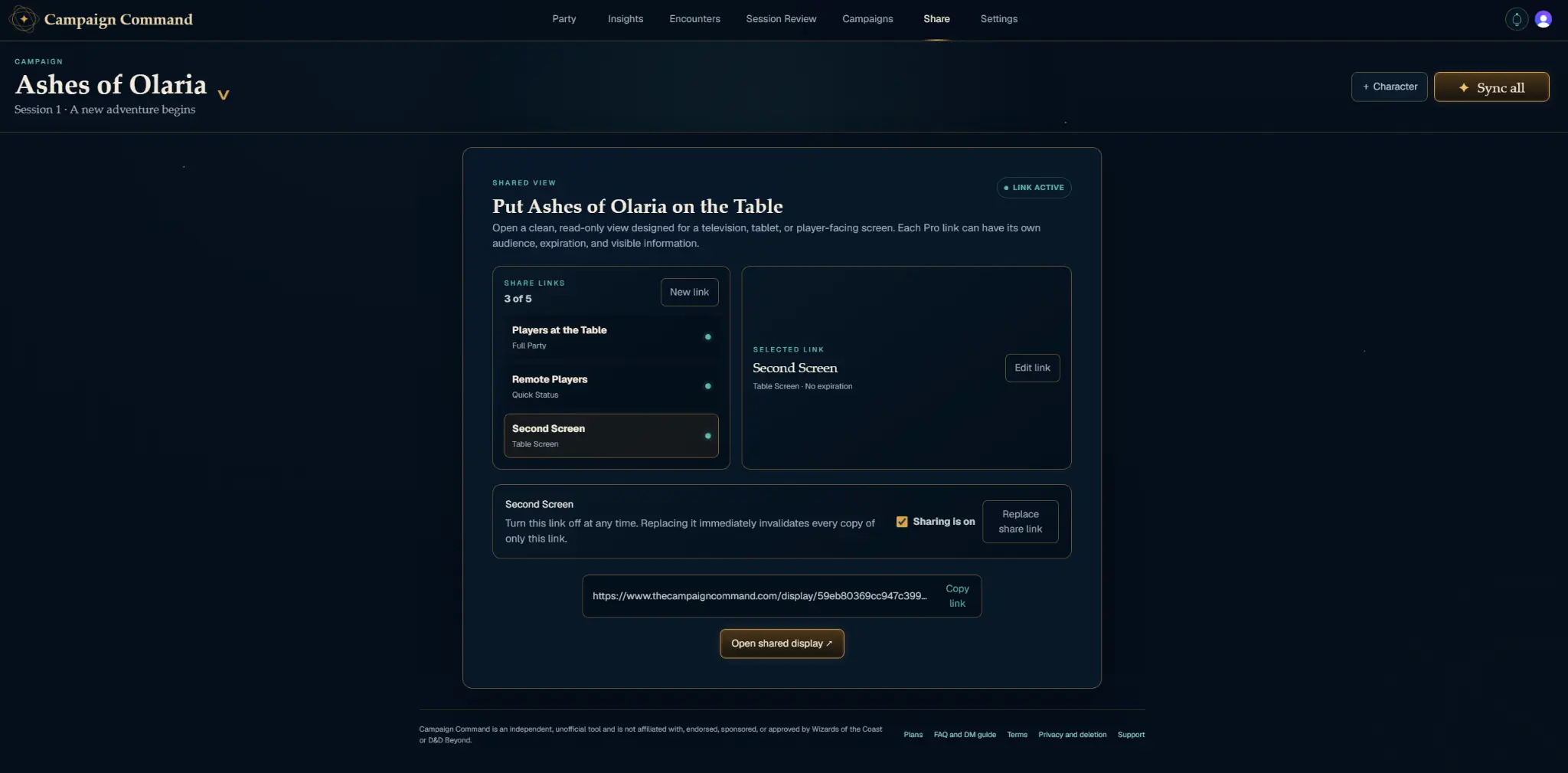
Create a clean, read-only player display for the table, remote players, or a second screen. Campaign Command Pro gives each link its own preset, expiration, audience label, and visible information.

01Full PartyComplete approved character details02Table ScreenReadable from across the room03Quick StatusEssentials for fast live play
Actual Campaign Command screen shown. Layout and available tools may vary by plan, campaign setup, screen size, and future updates.

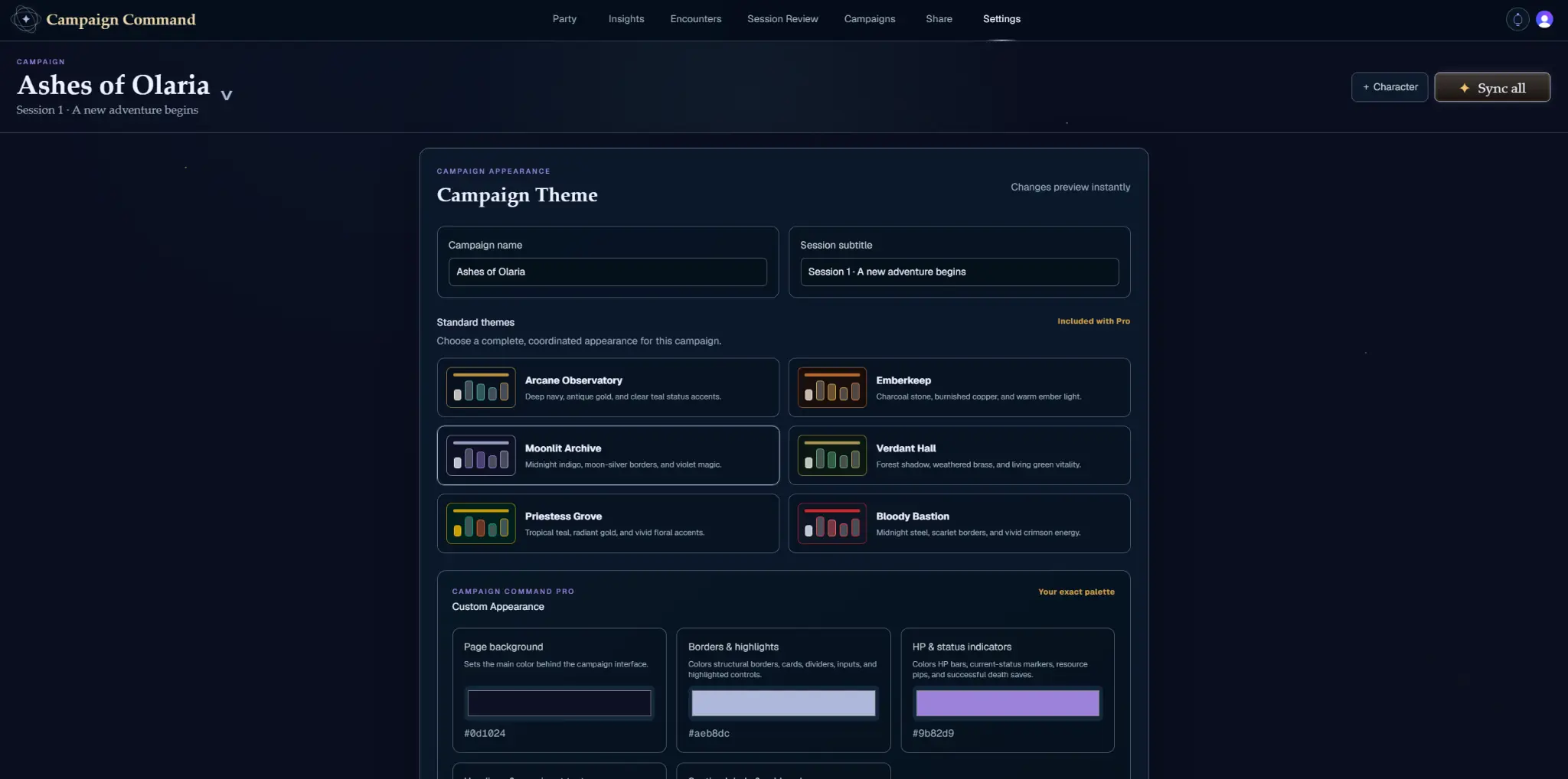
Campaign Appearance

Actual Product View
Campaign Command Settings screen showing standard themes and custom appearance controls
Actual Campaign Command screen shown. Layout and available tools may vary by plan, campaign setup, screen size, and future updates.
Campaign Appearance

Make the Dashboard
Feel Like Your World.

Choose from six designed themes, including Priestess Grove and Bloody Bastion. Pro unlocks custom colors, campaign artwork, and saved theme presets.

See Appearance Options →
Free to Begin. Pro When You Need More.

A Real Campaign Toolkit
At Either Level.

Free includes the core tools needed to run a campaign. Pro expands capacity and adds the automation, analysis, and shared-screen controls that save the most time.

Campaign Command Free

$0

Forever
  • 3 campaigns
  • 8 characters per campaign
  • Private Dice Roller and Initiative Tracker Lite
  • Basic Party Insights and concentration controls
  • One prepared encounter per campaign
  • One player-facing display per campaign
Start with Free →
Complete Command Center
Campaign Command Pro

$3.99

per month · $39.99 yearly
  • 10 campaigns with 15 characters each
  • Automatic sync and faster manual sync
  • Full Party Insights and combat automation
  • Unlimited prepared encounters
  • Session Review and five advanced share links
  • Custom themes, backdrops, and saved presets
Compare Every Feature →30-day Pro trial planned for subscription launch.
Your Next Session Starts Here

Gather the Party.
Command the Table.

Create your first campaign, bring the party into view, and keep every important moment within reach.

Start with Free →Read the DM Guide